Tailor a Workspace for a Task
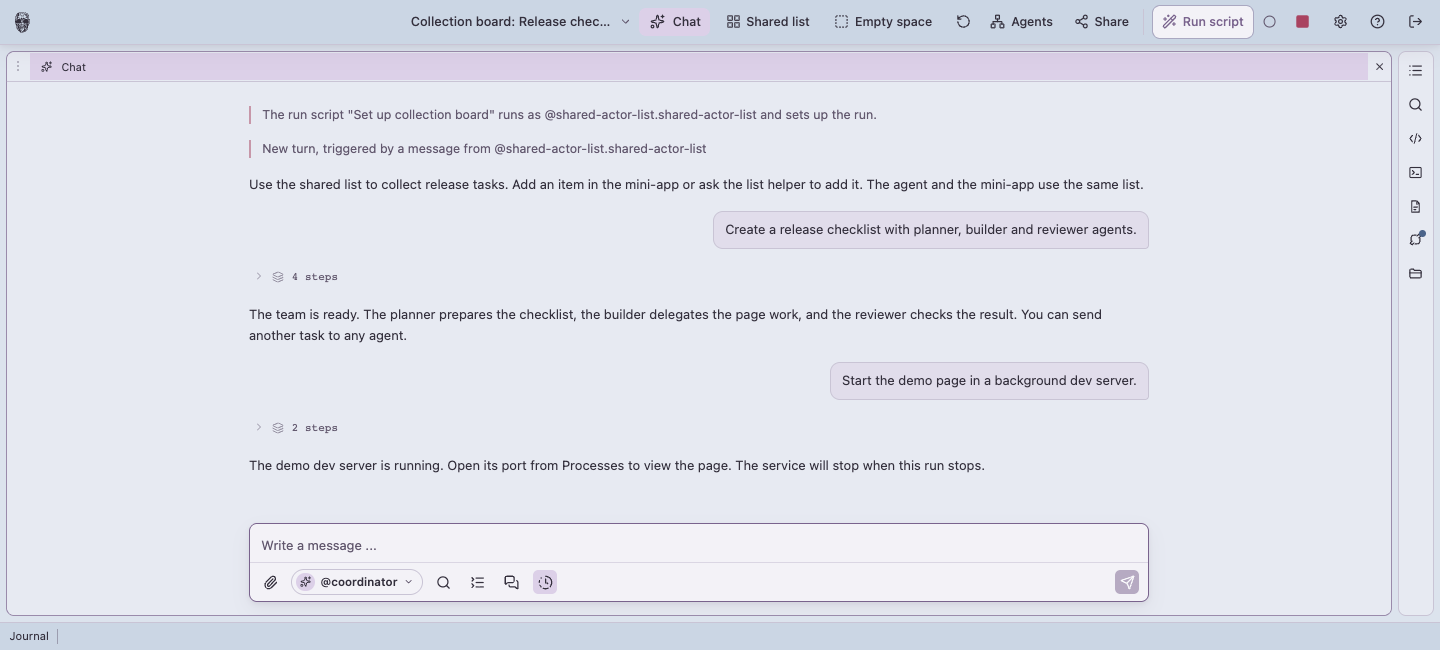
The script builds the workspace, so the agents start with everything in place.
- A setup script creates agents, scripts and mini-apps
- Start it again with one click
- Add a setup to a run that is already running
- Ask for inputs before the run starts
How it works A setup is a tested TypeScript package that appears as a start card. Its script starts agents, TypeScript programs and mini-apps through the same functions the AI uses. A setup dialog can ask for values, such as a repository or a topic, before the run starts. A setup marked as embeddable also joins a running run, from the run's Run script button, the command line or the coordinator, and reports its result back.
Distributed Across Server and Laptop
Coordinate centrally, and let the tools run where the files are.
- Runs, agents and models live on the server
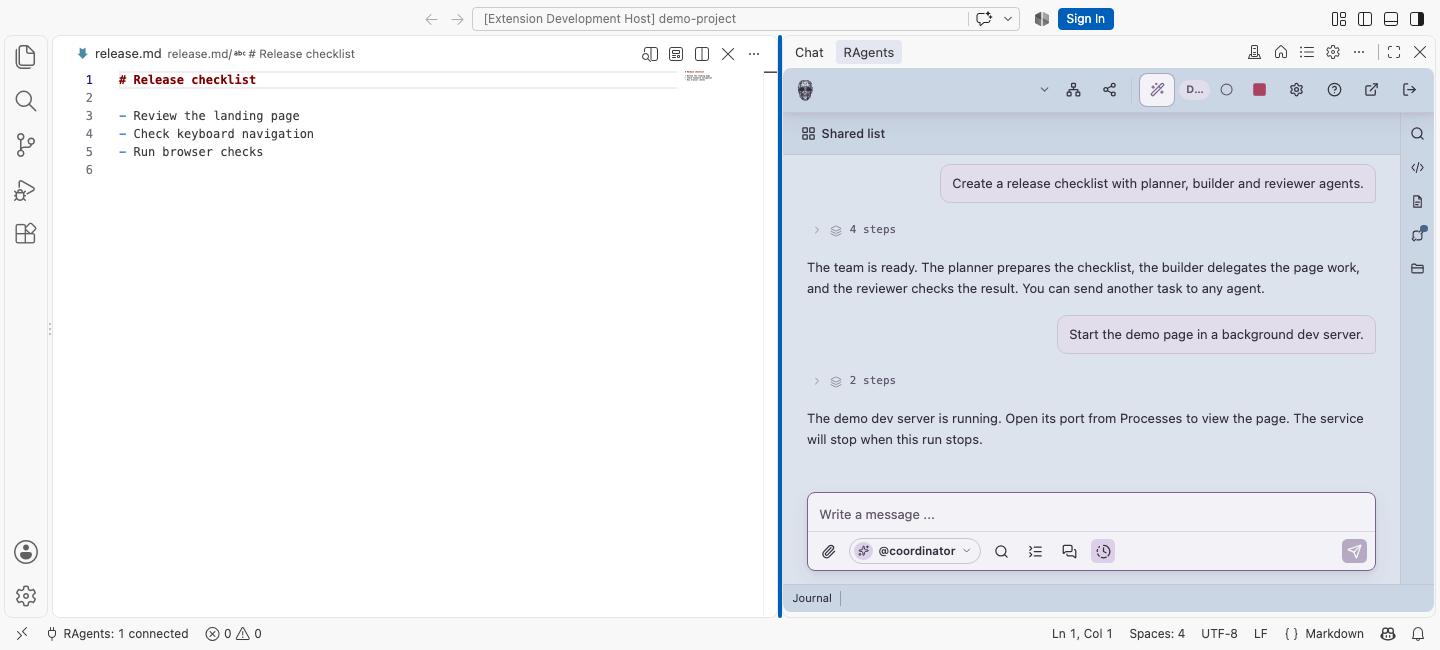
- Laptops and browsers connect to a run
- Messages flow both ways, live
- Tools run on the machine that has the files
- One server, many clients
Runs, models and tools do not have to live on the same machine. Coordinate centrally, let the tools run where the files are, and choose the split per team and per run. Every run starts with Isolated access; its owner can explicitly choose Full access when the server permits it or the workstation confirms locally. The owner can also approve read or write access to one file or folder; macOS and Linux workstation commands use the run's OS sandbox, while Windows clearly reports its command-isolation limit.
Everyone Talks To Everyone
Agents write plain text to each other, addressed by handle, such as @agent1.
- Agents hand work to each other
- Agents talk to scripts, scripts answer
- People talk to agents and mini-apps
- Mini-apps talk to people and agents
- ... you get the idea :)
How it works Each agent has its own model, prompt, history and handle. A coordinator takes the task and hands out work. A helper starts with no tools, a picked list, or all tools. When an agent asks you something, the choices appear in the chat and your answer goes back to that agent. You can attach images in the browser and VS Code for models that support them.
Agents with Their Own UI
People are used to working with interfaces. A UI shows what the agent is doing, and you step in with a click.
- The AI builds a UI while it works
- Extensions ship UIs ready to use
- You and the agent use the same UI and state
- Your click goes straight to the agent
- A new UI goes live after its tests pass
How it works A mini-app is a React view on the state of an agent or a TypeScript program. Its buttons call the program's typed functions directly. The AI type-checks and tests a new view before it goes live; if a rebuild fails, the old version stays active. New browser windows split an existing window while keeping your arrangement; move Chat, apps, and inspection windows and choose whether their buttons live in the header or sidebar; in VS Code, each app opens in its own editor tab. Show app... adds a read-only window of a global app or an app of another of your runs that always shows its current state. Extensions can keep optional windows closed until you open them.
Tools Are TypeScript Functions
- Register a typed function once, from your own plugin
- Agents get it as a tool
- AI-written code calls it, type-checked first
- A button calls it without a model
- Programs call it when events arrive
How it works A snippet runs once and returns its result to the model. A program keeps its state and reacts to later messages. A setup starts agents, programs and UIs. All of them call the same typed functions, with the same permission checks.
Event-Driven Journal
Every step of a run is an event in the journal. Agents and programs subscribe to the events they care about.
- An agent starts when another one finishes
- Replies arrive later as new input, nobody waits
- A watcher without a model wakes an agent that hangs
- A program wakes on a timer or a file change
- Agents read the run's journal
- Fork an agent with its memory
How it works A subscription turns matching events, such as another agent's finished turn, into new input. A watcher is a TypeScript condition without a model, for example no progress for 120 seconds. A program's triggers turn times and file changes into input, also while the run is closed. Agents query the journal themselves.
AI or Deterministic Workflows
Some work needs judgment, some needs the same steps every time. One run holds both.
- Let an agent choose the next step
- Or write the steps in TypeScript, the same every time
- Mix both in one run: code keeps the order, models do the thinking
- Code steps cost no tokens
- Wait for a person when a decision is due
How it works A setup or an actor program in TypeScript creates the participants and controls the handoffs. Agents fill in the parts that need a model. In the word game, code runs the rounds while four models supply the words.
Use RAgents in Your Application
RAgents is a server with one JSON-RPC API. The web interface and VS Code use it, and your product can too.
- Start the host beside your app, on a private port or over stdio
- Call the same JSON-RPC 2.0 API as the UI
- Follow runs live over Server-Sent Events
- Typed contracts as OpenRPC and TypeScript declarations
- Use mini-apps to build user-facing UIs
- Tailor agents, tools and setups with your own profile and plugins
- Hide the technical views, keep chat and UI
Plugins and Profiles
- A plugin adds tools, skills, prompts and UIs
- Write your own plugins in TypeScript
- A profile picks the plugins, models and users
- A server hands its profile to every laptop
Drive RAgents from Outside
- Start runs from the command line
- Let coding agents like Claude Code drive RAgents
- Send tasks, read the journal, stop a run
- Scripts get the same JSON-RPC API as the UI
- Connect MCP servers so agents can use their tools
- Chat with RAgents from an ACP editor such as Zed
- Run Claude, Codex or Gemini CLI as actors alongside the coordinator